Description
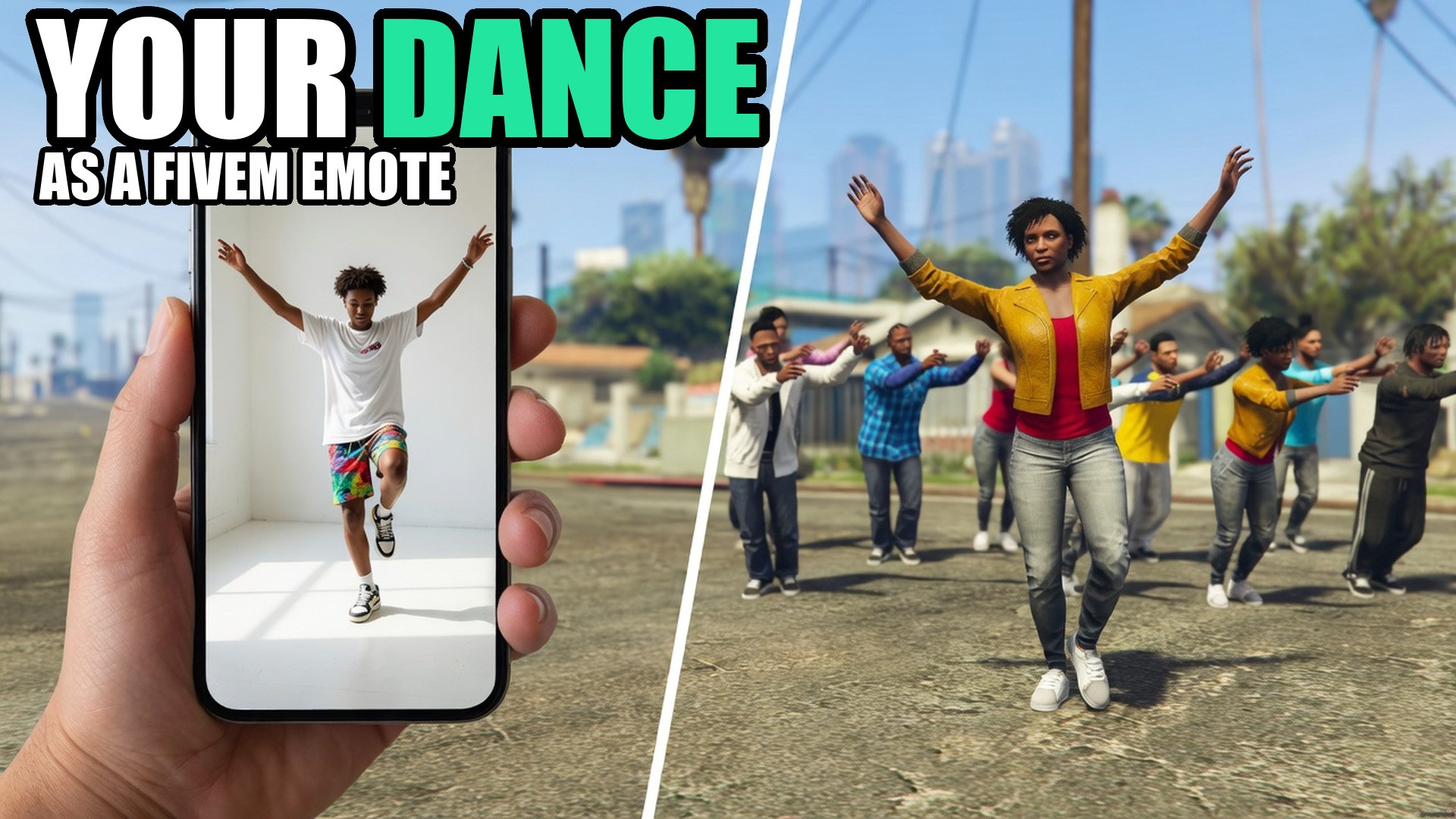
Turn a phone video into a custom FiveM emote, right inside your server. No Blender, no CodeWalker, no credits: Build Pack writes the .ycd file for you.
✅ Works with your server
Frameworks: Standalone, ESX, QBCore and Qbox. A framework is only used to let your admin groups open the editor. No dependencies.
Emote menus: every pack comes with a ready-to-paste entry for dpemotes and rpemotes. Tested in game with dpemotes and rpemotes-reborn: normal speed, played to the end, looping cleanly. It sits alongside the animation packs you already run, like DeadoAnimations.
Male or female: the same clip plays on both freemode characters.
🎯 What you'll make with it
💃 Your server's own dances: TikTok dances, K-pop choreography, the Griddy, the Wobble, the Swag Surf. Film it, drop it in, and your players have it as an emote.
🤟 Hand signs and gestures: a second tracker reads every finger, so hand signs and gestures come through, not just arms.
🏙️ A whole street doing the same move: one pack, as many players as you like, from a party to a car meet to a crowd at an event.
🕺 Moves nobody can film: pose a 3D skeleton bone by bone and set keyframes. The editor blends them into smooth motion.
🎥 Motion your character already does: record your own ped while it plays an emote or a scenario, and trim it into a new clip.
⚡ How it works
- Type
/anim. The editor opens over the game. - Open the Video tab and drop in a video of one person doing the move.
- Wait about two minutes for a 20-second clip. The tracking runs on your own PC, inside the game.
- Scrub it, trim it and play it on the 3D skeleton.
- Press Build Pack. Your server writes a ready-to-ensure resource with the .ycd, a play command and the emote-menu entry.
- Ensure the pack and play it with
/yourclip, or with/e yourclipfrom dpemotes or rpemotes.
🔥 Features
- 📱 Video to animation, in game: body, arms and all ten fingers, from one video. Nothing is uploaded anywhere.
- 🦶 Made to look right in GTA: feet stay planted and flat, with no floating, tiptoeing or sliding. Arms stay outside the body, the head keeps a natural range, and steps to the side move the whole body.
- 🪞 Mirror L/R for front-camera videos, and a Track fingers switch for faster imports.
- 🎬 Record your own ped at 30 fps for up to 20 seconds.
- 🕺 Pose Animator: bone sliders, full-body keyframes, smooth or linear easing, a seamless Loop button and Mirror L/R.
- ✂️ Scrub, trim and preview on a live 3D skeleton, at 15, 30 or 60 fps.
- 🧱 It writes the .ycd itself: a real RAGE clip dictionary, the same format GTA ships its own animations in.
- 🗜️ Quantize: about 35% smaller clips with no visible difference.
- 📦 Build Pack: a drop-in resource with the .ycd, a play and a stop command, a README and the emote-menu entry, plus a Copy button in the editor.
- 🦵 Legs stay right in any emote menu: the pack switches GTA's foot IK off while your clip plays, whoever started it.
- 📲 Phone videos sorted: the editor spots a phone (HEVC) video and points to a free converter that runs in your normal browser in seconds, with a QR code for your phone. Optional automatic conversion on your server with ffmpeg.
- 🖥️ Same size on every screen: the editor scales itself for 1080p, 1440p and 4K.
- 🔒 Locked down: ace permission or your framework's admin groups, checked on the server for opening the editor, building packs and converting videos, not just the command.
💸 Why not a cloud service or 3D software
| LMX Animation Creator | Cloud video-to-animation | Blender / 3DS Max | |
|---|---|---|---|
| Price | One-time | Credits per clip | Free to expensive, plus hours of learning |
| Your video | Stays on your PC | Uploaded to their servers | Stays on your PC |
| Where you make it | In game | A website | 3D software, then CodeWalker or OpenIV |
| What you get | A ready-to-ensure FiveM resource and an emote-menu entry | A file to install yourself | A file to install yourself |
📋 Before you buy, the straight answers
- One person per video, whole body in frame, up to 20 seconds (
Config.MaxVideoSeconds). Good light and a still camera give the best result. - A 20-second clip takes about two minutes to analyse. FiveM currently has WebAssembly switched off in its in-game browser, so the tracking runs on your graphics card. It gets faster by itself when FiveM's newer browser arrives.
- Phone videos usually need converting first, because FiveM's built-in browser can't play HEVC. The free converter takes a few seconds in your normal browser and nothing is uploaded. Or set your phone to record H.264 and skip it.
- The body follows steps to the side. For movement toward or away from the camera it stays in place.
- Fingers are read as how far each one curls, not fingers spreading apart, and they are weaker in low light. Very fast overhead arm swings can clip for a frame.
- One animation per pack. Build as many packs as you like.
- Players' game clients need internet for the editor's 3D preview, which loads Three.js from a CDN. The tracking models ship inside the resource.
- The editor is in English.
📦 What's included
lmx_animationcreator: the editor, video import, Record, the Pose Animator and the pack buildertools/video-converter.html: the phone-video converter, one file you can host yourself, andconvert-for-import.batfor offline use- Open
config.luaand data files. The server and client Lua is protected by Cfx.re asset escrow. - The full setup guide in the online docs
🛠️ Support
📖 Documentation: lmx-development.gitbook.io
💬 Discord support: discord.gg/6cCcjfGBNQ
LMX Animation Creator | Custom FiveM Emotes & Animations From Video | dpemotes Ready
Checkout signs you in with your Cfx.re (FiveM) account once — that's how the script gets licensed to your Keymaster.